This page contains information for AOL subscribers only.
Outlook (Outlook, Hotmail, MSN, etc.) subscribers, please click HERE
Gmail subscribers, click HERE
Yahoo subscribers, click HERE
Generally, email is sent out daily to our subscribers at 6 am EST. If you have not received email from us for one or more days, then follow the steps below to improve delivery of emails:
1. Check if the emails are going into spam folder
If emails are going to AOL spam folder, then you can move any message to inbox by selecting any message from simple@simpleandpractical.com and then clicking “Not Spam” button.
2. Add our email address to the contacts list
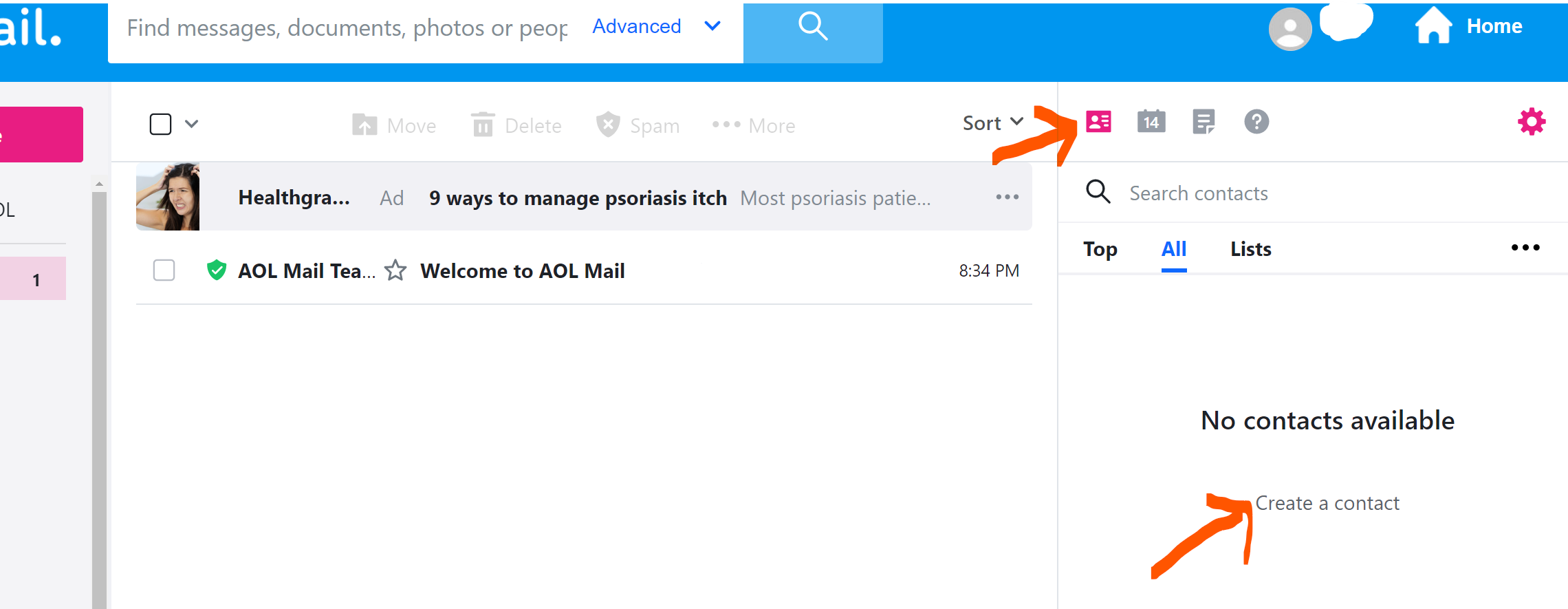
Please add simple@simpleandpractical.com to your AOL contacts list to improve delivery of emails.
Click on Contacts >> Create a contact
3. Remove simpleandpractical.com from Blocked addresses or Blocked domains list in your AOL email.
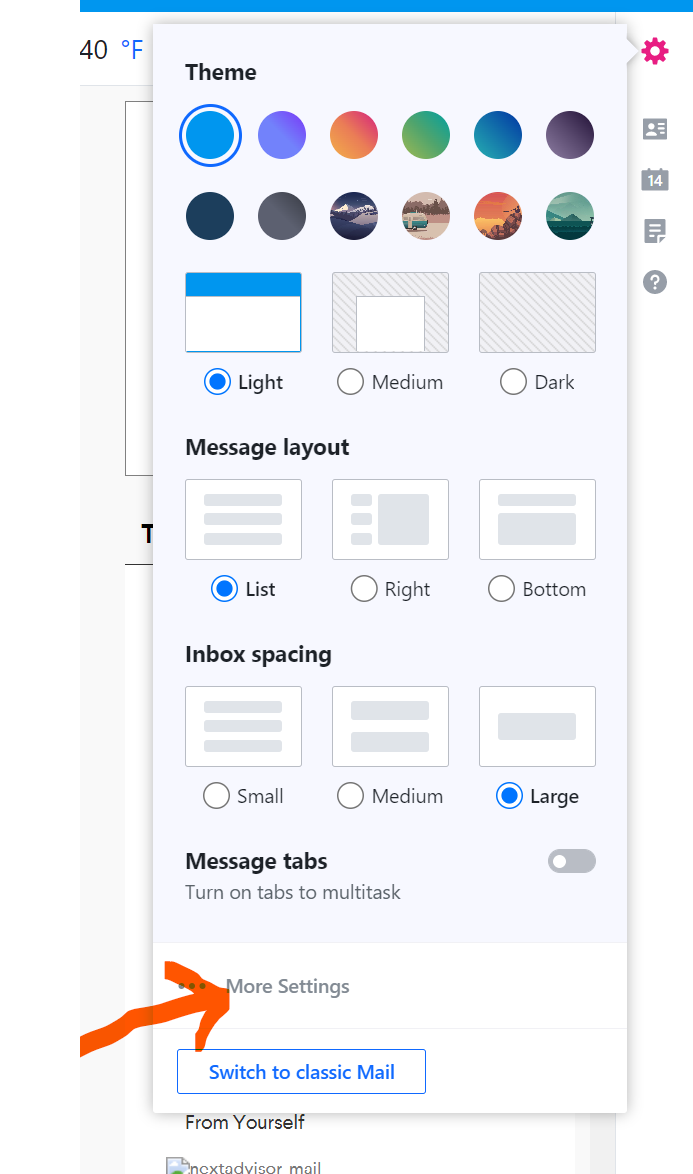
STEP 1: Log into your AOL mail and then click on Settings (top right) as per instructions below

STEP 2: Click More Settings
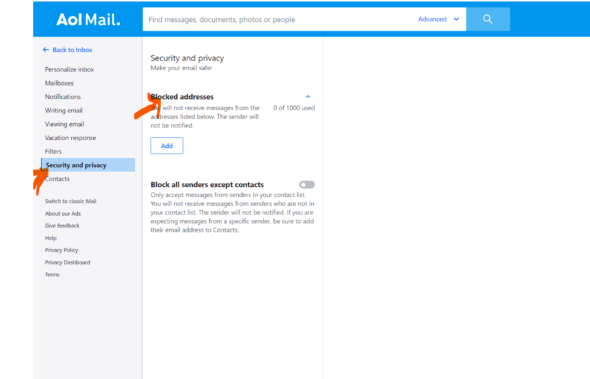
STEP 3. Click Security and Privacy (under left column)
Check if any simpleandpractical.com email address is listed under Blocked addresses. If yes, please click on “Trash/Delete icon to remove from the list.
4. Create an email filter in your AOL account to whitelist a domain.
You can create a filter in AOL for future emails so that emails from simple@simpleandpractical.com are always directed to your Inbox.
STEP 1: Follow the instructions as in Blocked email address in section “3” above and go to Settings>>More Settings
STEP 2: Click Filters:

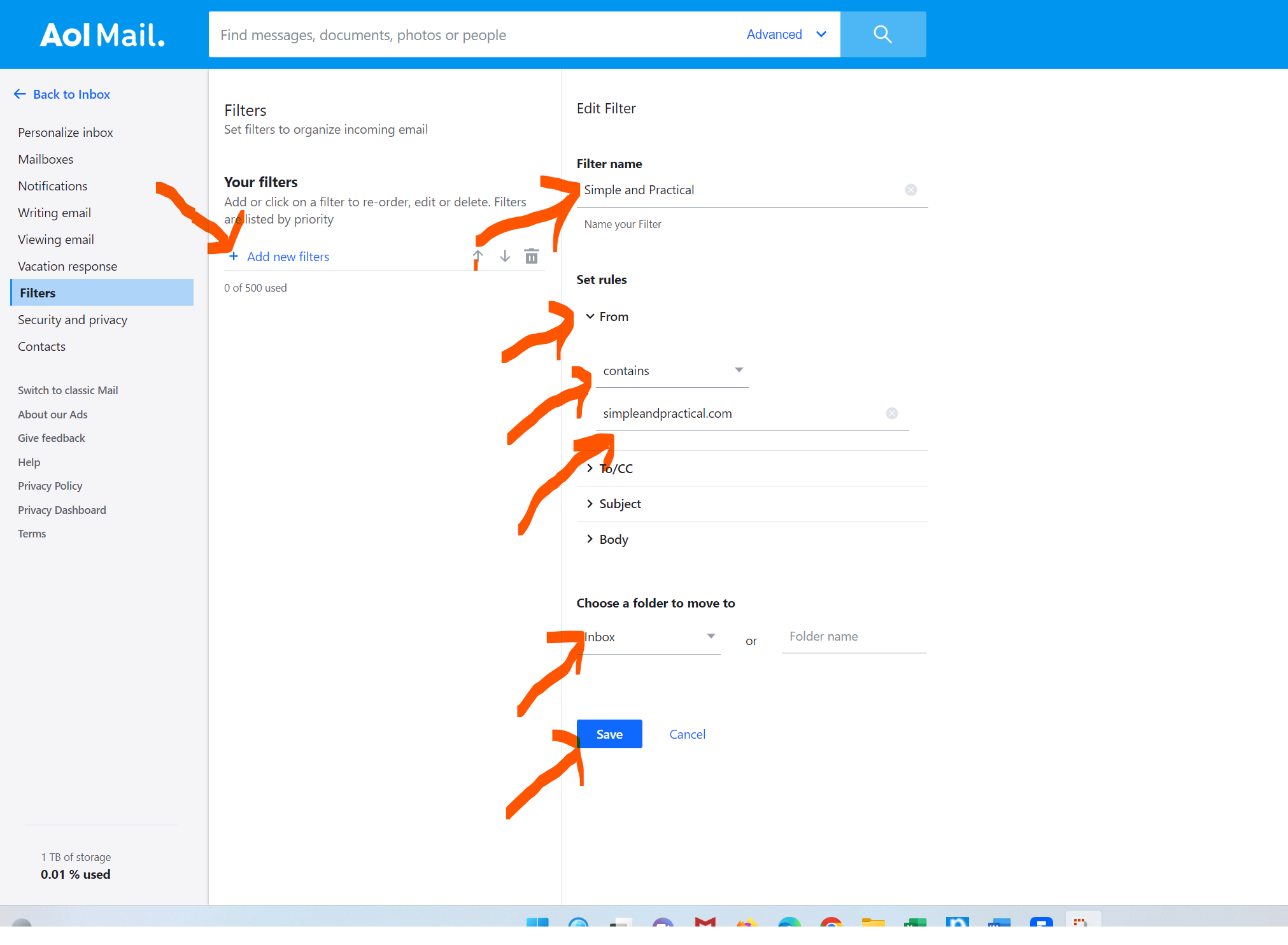
STEP 3: Click Add New Filters (in the middle column) and the specify the settings of the filters (in right column) as indicated below:
- Under Filter name, enter SIMPLE AND PRACTICAL
- Under Set rules
-Click “From“
-Choose from drop down – Contains
-Enter in the next line – simpleandpractical.com
- Under Choose a folder to move to
-Select Inbox
- Click Save (Blue button at bottom)
In case of questions/comments, please contact us at customerservice@simpleandpractical.com.
Related Pages
Instructions for Outlook subscribers for adding themselves to the safe senders list
Why am I not receiving daily emails?
Bounce List